I have 5.5 hours of content (across 60 lessons) in my course. When should I expect to see the auto-generated captions? Thanks!
Hi @juliekinn, Thanks for your question. The auto-generated subtitles will be created for the course after it receives 20 or more enrollments on the marketplace. If your course has reached the number of enrollees and you are unable to see the autogenerated captions, please reach out to the Instructor Support team. To contact the team, please open the help center article here and click “Contact Us” on the right.
I hope this helps!
Hi @ElianaC ,
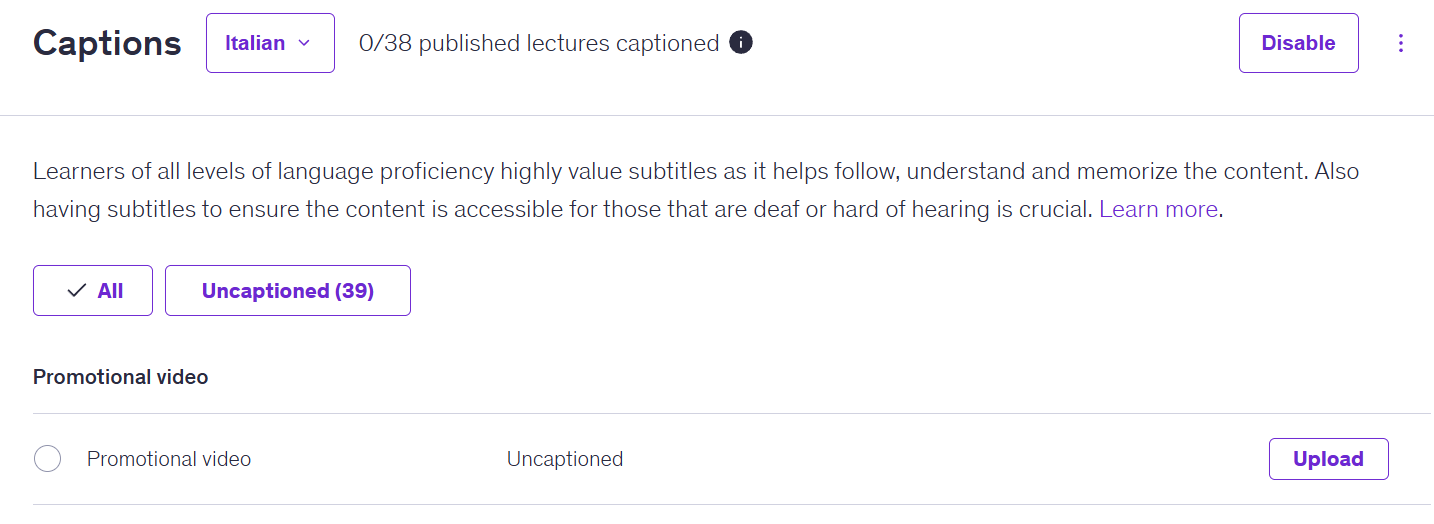
Just today I received a message that auto-generated subtitles are activated for my course due to my 20th enrollment. I have already enabled the languages I'd like (eg. Italian, French etc).
As you can see all lectures are considered Uncaptioned. May I ask if it's a matter of time to be enabled? Or do I need to upload a file? I already have .vtt files in English.
Any advice? Thank you in advance.
Elina.
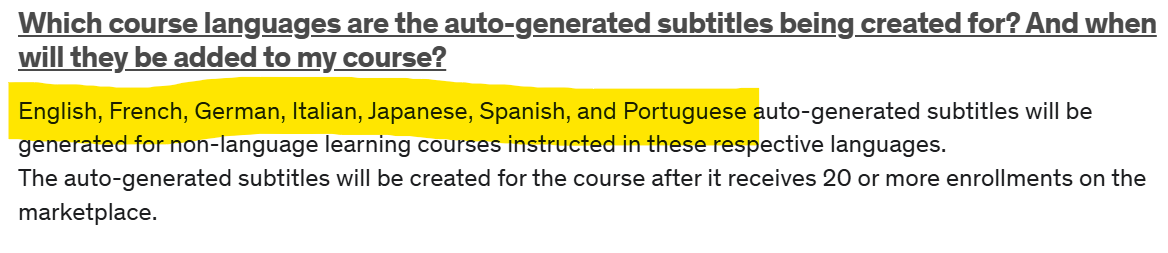
Hi @Elina_P, Thank you for asking! Udemy provides auto-generated subtitles in English, Spanish and Portuguese for video lectures instructed in these respective languages.
However, to add captions in other languages, instructors need to create them on their end. An easy way to do this is by downloading the file with the English subtitles directly from Udemy, having them translated, then uploading them back to the course. Here's a step-by-step on how to do this.
Sorry that we're unable to offer all languages at this time, but please let me know if you have any other questions or if there's anything else I can help you with!
Thank you for the prompt reply! However, here in this article attached below, it's written that more languages are available..
Translating and uploading sounds good. Thanks!
Hi @Elina_P
I'm also interested in adding translations. I couldn't find the link you suggested after: "Here's a step-by-step on how to do this. "
Would you please be able to share the link again?
Thanks!
Ron
Auto-generated captions can take anywhere from a few minutes to several hours. For 5.5 hours of content across 60 lessons, it’s normal for it to take a bit longer. If they don’t appear after a few hours, they usually finish within the same day.